Free downloadGoogle Docs compatible
Free Invoice Template for Google Docs
An editable invoice document with client details, line items and a balance summary. Download the DOCX and open it in Google Docs or Word.
DOCX · 38 KB · No email or payment needed
How to use this template
- Download the DOCX file. No Tidy Drafts account or email is needed.
- Open the file directly in Word, or upload it to Google Drive and choose Open with Google Docs.
- Replace bracketed prompts, remove unused instructions, and review the finished document before sharing.
Amounts are entered manually. For automatic calculations, use the Google Sheets invoice template.
Google Drive file help ↗What’s inside the download
Invoice details
Business and client fields, invoice number, issue date and due date.
Line items
Four editable service rows that you can extend in your document editor.
Balance summary
Manual subtotal, discount, tax, deposit and balance fields.
Payment details
Space for your payment method, reference and agreed terms.
First page preview
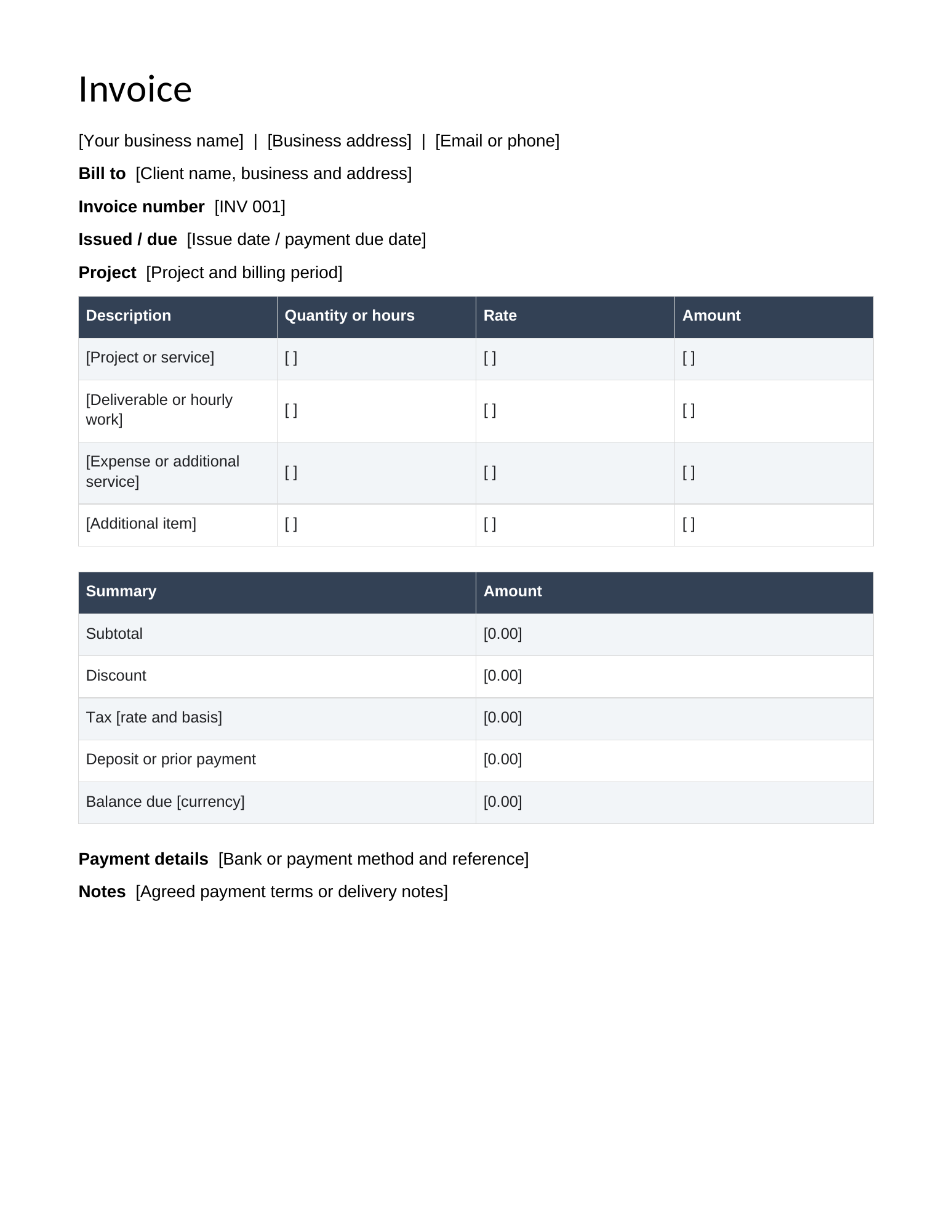
Preview of the actual file. Open it for a closer look; edit your downloaded copy.
Template features
- Editable Word document compatible with Google Docs
- Separate instruction page to remove before sending
- Manual amounts with a clear calculation checklist
Frequently asked questions
What do I receive?
An editable invoice document with client details, line items and a balance summary. Download the DOCX and open it in Google Docs or Word. Amounts are entered manually. For automatic calculations, use the Google Sheets invoice template.
Is this template free?
Yes. Download the complete file without payment, an email address or a Tidy Drafts account. You may adapt it for personal and business work, including completed client documents.
How do I open and edit it?
Open the file directly in Word, or upload it to Google Drive and choose Open with Google Docs. Replace bracketed prompts, remove unused instructions, and review the finished document before sharing. A Google account is required to edit in Google Drive. Downloading from Tidy Drafts does not require one.
Can I use it more than once?
Yes. Keep a clean copy and duplicate it before starting a new project, month or client document. Replace the supplied prompts or examples with your own information.