Free downloadGoogle Sheets compatible
Free Monthly Budget Template for Google Sheets
Plan a monthly budget, record transactions and compare actuals with your plan. The workbook also summarizes income and expenses across the year.
XLSX · 18 KB · No email or payment needed
How to use this template
- Download the XLSX file. No Tidy Drafts account or email is needed.
- Open the file directly in Excel, or upload it to Google Drive and choose Open with Google Sheets.
- Read the Read me sheet, enter your own details in the yellow input cells, and keep formula cells intact.
The monthly plan repeats for the annual planned total. Savings transfers count as budget allocations in expenses.
Google Drive file help ↗What’s inside the download
Monthly plan
12 editable categories, a year selector and a selected month.
Transaction log
200 rows for dated income and expenses with category and input checks.
Plan versus actual
Category totals and favorable or unfavorable variance formulas.
Year overview
Monthly income, expenses and net totals for the selected year.
First worksheet preview
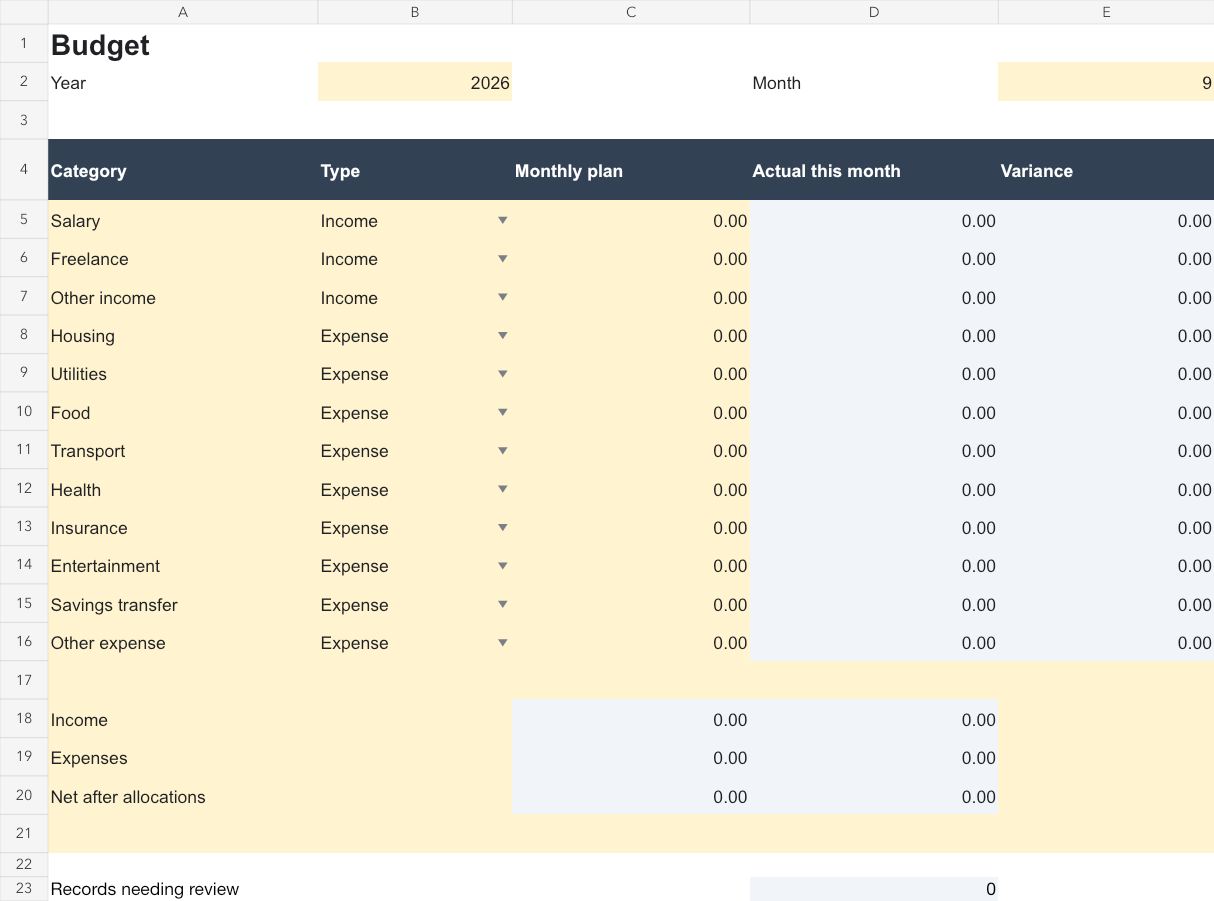
Preview of the actual file. Open it for a closer look; edit your downloaded copy.
Template features
- Budget, Transactions, Monthly summary and Read me sheets
- Formulas update from dated transactions
- Editable category plans and income or expense types
- Yearly totals without macros or external connections
Frequently asked questions
What do I receive?
Plan a monthly budget, record transactions and compare actuals with your plan. The workbook also summarizes income and expenses across the year. The monthly plan repeats for the annual planned total. Savings transfers count as budget allocations in expenses.
Is this template free?
Yes. Download the complete file without payment, an email address or a Tidy Drafts account. You may adapt it for personal and business work, including completed client documents.
How do I open and edit it?
Open the file directly in Excel, or upload it to Google Drive and choose Open with Google Sheets. Read the Read me sheet, enter your own details in the yellow input cells, and keep formula cells intact. A Google account is required to edit in Google Drive. Downloading from Tidy Drafts does not require one.
Can I use it more than once?
Yes. Keep a clean copy and duplicate it before starting a new project, month or client document. Replace the supplied prompts or examples with your own information.